
Conversations API
Retrieve conversation threads and paginate through individual messages. Use to build custom inbox views, sync message history to a CRM, or audit conversation logs.
Overview
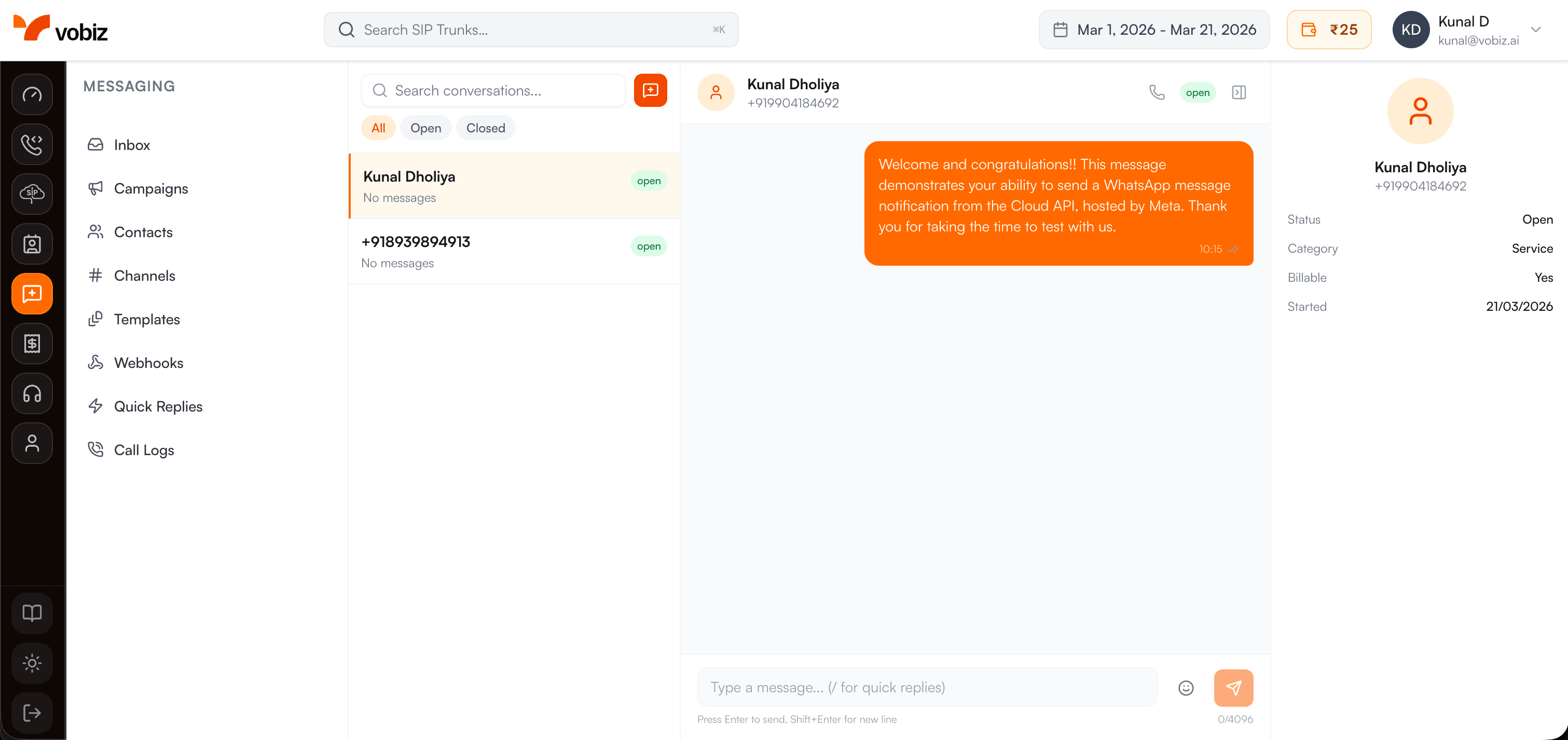
The Vobiz WhatsApp Inbox — each conversation in the left panel is a conversation object from the API.
Conversations
A conversation is a thread between your WhatsApp number and one customer, sorted by most recent activity.
Pagination
Messages are cursor-paginated — pass the cursor from the previous response to fetch older messages.
List Conversations
GET
https://api.vobiz.ai/v1/messaging/conversationsReturns all WhatsApp conversations for your account across all channels, ordered by most recent message.
Authentication Required:
- • X-Auth-ID: Your Account Auth ID
- • X-Auth-Token: Your Account Auth Token
- • Accept: application/json
cURL
curl -X GET \
  "https://api.vobiz.ai/v1/messaging/conversations" \
  -H "X-Auth-ID: {auth_id}" \
  -H "X-Auth-Token: {auth_token}"
Response — 200 OK
{
  "data": [{
    "id": "conv_abc123",
    "channel_id": "2f8892e1-59b7-40a2-b518-e7a7c31a754d",
    "contact": { "id": "cnt_xyz789", "name": "Rahul Sharma", "phone": "+919876543210" },
    "last_message": { "body": "Yes, I'd like to proceed.", "direction": "inbound", "timestamp": "2026-03-17T14:22:00Z" },
    "unread_count": 2,
    "status": "open"
  }],
  "meta": { "total": 48, "page": 1 }
}
List Messages in Conversation
GET
https://api.vobiz.ai/v1/messaging/conversations/{conversation_id}/messagesReturns paginated messages for a specific conversation, newest first. Use the cursor field to load older messages.
| Param | Default | Description |
|---|---|---|
| limit | 50 | Max messages per page |
| cursor | (empty) | Message ID to paginate from (returns older messages) |
Authentication Required:
- • X-Auth-ID: Your Account Auth ID
- • X-Auth-Token: Your Account Auth Token
- • Accept: application/json
cURL — First page
curl -X GET \
  "https://api.vobiz.ai/v1/messaging/conversations/{conversation_id}/messages?limit=50" \
  -H "X-Auth-ID: {auth_id}" \
  -H "X-Auth-Token: {auth_token}"
cURL — Next page (older messages)
curl -X GET \
  "https://api.vobiz.ai/v1/messaging/conversations/{conversation_id}/messages?limit=50&cursor=msg_001" \
  -H "X-Auth-ID: {auth_id}" \
  -H "X-Auth-Token: {auth_token}"
Response — 200 OK
{
  "data": [
    { "id": "msg_002", "type": "text", "direction": "outbound", "body": "How can I help?", "status": "read", "timestamp": "2026-03-17T14:20:00Z" },
    { "id": "msg_001", "type": "text", "direction": "inbound", "body": "Yes, I'd like to proceed.", "timestamp": "2026-03-17T14:22:00Z" }
  ],
  "cursor": "msg_001"
}Last updated: April 2026Edit this page