
Numbers API
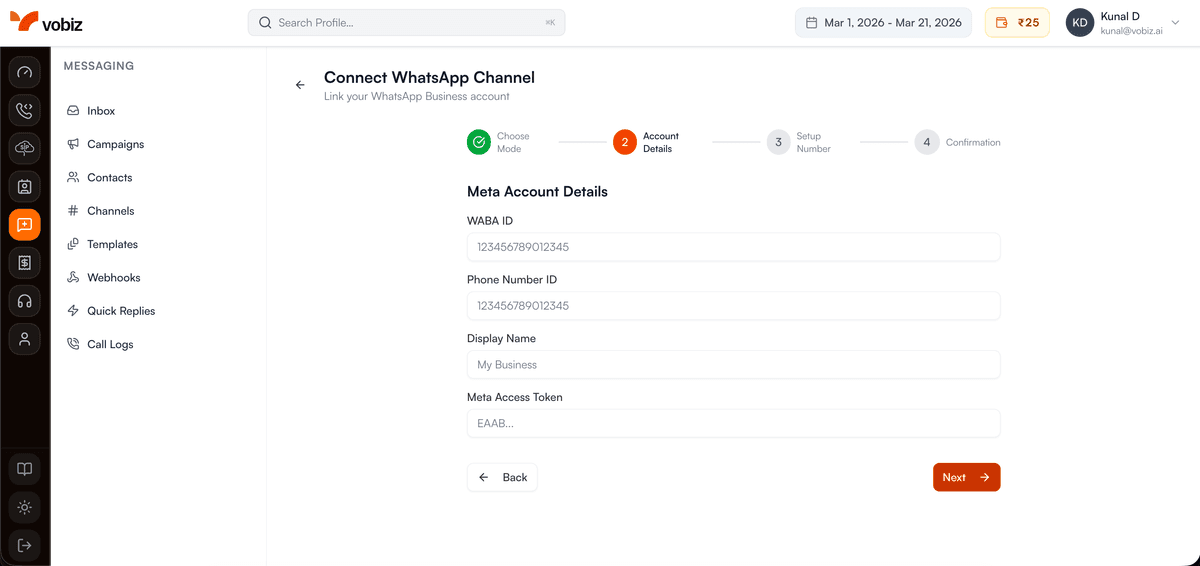
Search for available WhatsApp-capable numbers, purchase new ones, or verify and connect an existing number you already own (Bring Your Own Number — BYON).
BYON Verification Flow
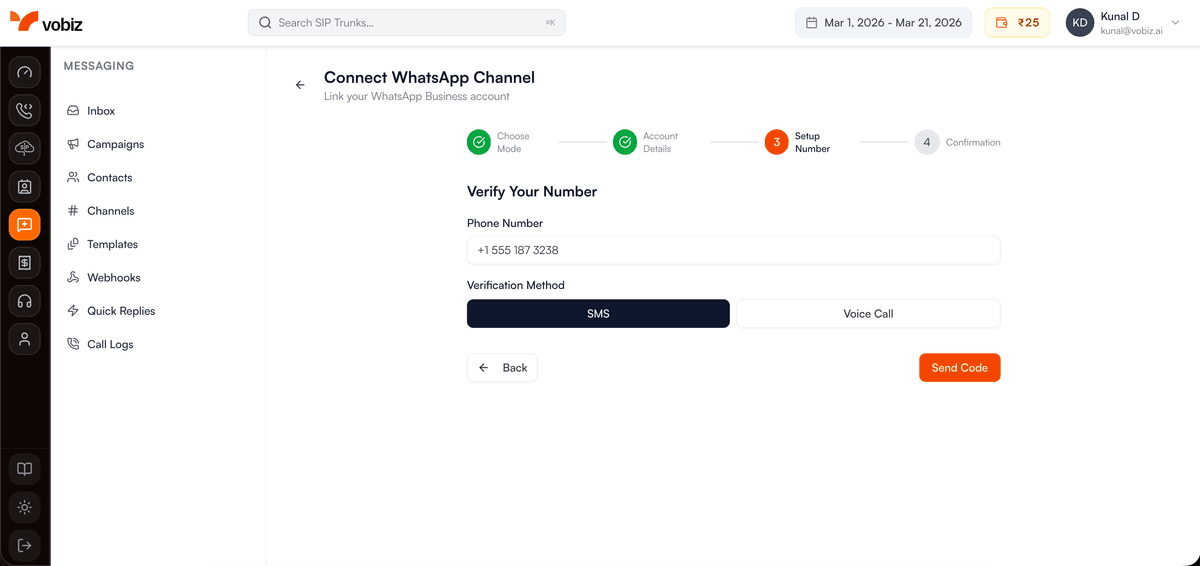
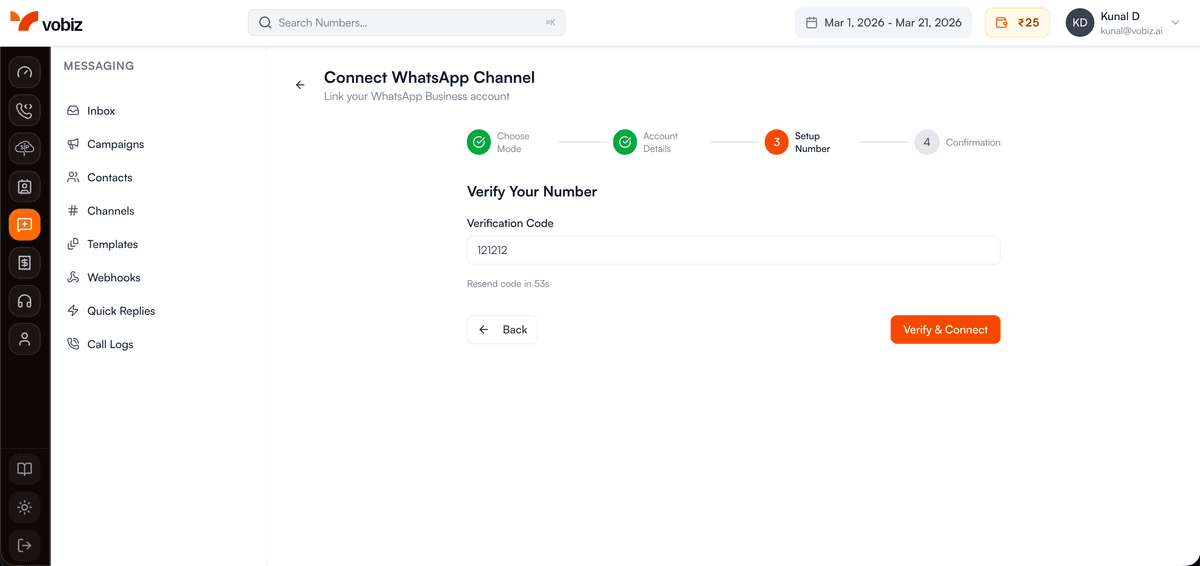
If you already have a WhatsApp Business number, the BYON flow verifies ownership via OTP before connecting it to Vobiz.
List Available Numbers
https://api.vobiz.ai/v1/messaging/numbers/whatsapp/availabilitySearch for WhatsApp-capable phone numbers available for purchase. Filter by country and optional region.
| Param | Required | Description |
|---|---|---|
| country | Required | ISO country code (e.g. IN, US) |
| region | Optional | State/region filter |
Authentication Required:
- • X-Auth-ID: Your Account Auth ID
- • X-Auth-Token: Your Account Auth Token
- • Accept: application/json
curl -X GET \
  "https://api.vobiz.ai/v1/messaging/numbers/whatsapp/availability?country=IN" \
  -H "X-Auth-ID: {auth_id}" \
  -H "X-Auth-Token: {auth_token}"
Create Number Order
https://api.vobiz.ai/v1/messaging/numbers/whatsapp/ordersPurchase a new WhatsApp-capable phone number. After the order is fulfilled, use the Create Channel endpoint to connect it to your WABA.
Authentication Required:
- • X-Auth-ID: Your Account Auth ID
- • X-Auth-Token: Your Account Auth Token
- • Accept: application/json
curl -X POST \
  "https://api.vobiz.ai/v1/messaging/numbers/whatsapp/orders" \
  -H "X-Auth-ID: {auth_id}" \
  -H "X-Auth-Token: {auth_token}" \
  -H "Content-Type: application/json" \
  -d '{"country_code":"IN","region":"MH","number_type":"local","preferred_number":"+919876543210","currency":"INR"}'
Verify BYON — Step 1
https://api.vobiz.ai/v1/messaging/numbers/whatsapp/bring-your-own/verifyInitiate OTP verification for a number you already own. Choose sms or voice as the delivery method.
Authentication Required:
- • X-Auth-ID: Your Account Auth ID
- • X-Auth-Token: Your Account Auth Token
- • Accept: application/json
curl -X POST \
  "https://api.vobiz.ai/v1/messaging/numbers/whatsapp/bring-your-own/verify" \
  -H "X-Auth-ID: {auth_id}" \
  -H "X-Auth-Token: {auth_token}" \
  -H "Content-Type: application/json" \
  -d '{"phone_number":"+919876543210","verification_method":"sms"}'
Confirm BYON Verification — Step 2
https://api.vobiz.ai/v1/messaging/numbers/whatsapp/bring-your-own/confirmSubmit the OTP received in Step 1 to complete verification. On success the number is confirmed and ready to connect via the Create Channel endpoint.
Authentication Required:
- • X-Auth-ID: Your Account Auth ID
- • X-Auth-Token: Your Account Auth Token
- • Accept: application/json
curl -X POST \
  "https://api.vobiz.ai/v1/messaging/numbers/whatsapp/bring-your-own/confirm" \
  -H "X-Auth-ID: {auth_id}" \
  -H "X-Auth-Token: {auth_token}" \
  -H "Content-Type: application/json" \
  -d '{"phone_number":"+919876543210","otp_code":"123456"}'