
Channel Management
Connect and manage WhatsApp Business channels on Vobiz. Choose from multiple connection methods to get started, manage multiple channels, and monitor their performance.
What is a Channel?
A channel represents a WhatsApp Business phone number connected to Vobiz. Each channel can handle conversations, send messages, and run campaigns independently. You can connect multiple channels to manage different business lines, regions, or brands.
Connection Methods
Choose the connection method that best fits your needs:
Bring Your Own Number (BYON)
RECOMMENDEDConnect your existing WhatsApp Business account using Meta Business Manager credentials.
Buy from Vobiz
FASTESTPurchase a new WhatsApp Business number directly through Vobiz with instant activation.
Direct Connection
ADVANCEDConnect directly using existing WhatsApp Cloud API credentials for advanced users.
Channel Types
Production Channels
Fully verified WhatsApp Business channels used for live customer communications. These channels have higher rate limits and can send messages to any verified contact.
- • Business verification required
- • Higher messaging limits (1,000+ per day)
- • Display name shows verified badge
- • Can use all template categories
Test/Sandbox Channels
Development channels for testing integrations and workflows before going live. Limited to verified test numbers.
- • No business verification needed
- • Limited to 50 messages per day
- • Can only message verified test numbers
- • Ideal for development and testing
Managing Channels
Once connected, you can manage all aspects of your channels from the Vobiz console:
Channel Dashboard
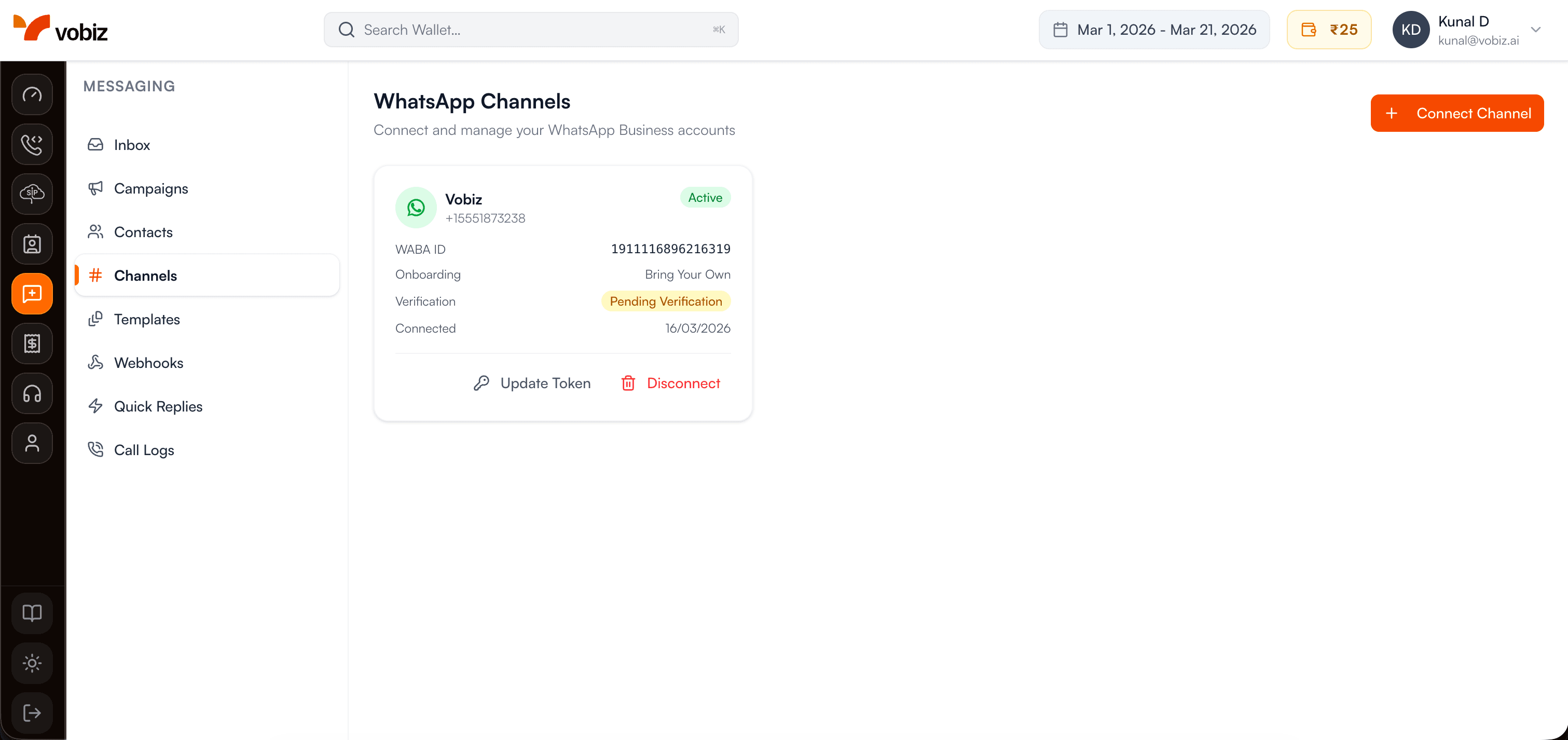
The channels dashboard displays:
- •Connection status - Active, disconnected, or pending verification
- •Message limits - Current usage vs. daily limits
- •Quality rating - Meta's quality score (Green, Yellow, Red)
- •Active conversations - Number of ongoing 24-hour windows
- •Recent activity - Messages sent/received in last 7 days
Best Practices
Monitor Quality Rating
Maintain a high quality rating by responding promptly to customers, avoiding spam, and ensuring your messages provide value. A low quality rating can result in reduced messaging limits.
Use Separate Channels for Different Purposes
Create dedicated channels for different use cases (e.g., customer support, marketing, notifications) to better organize conversations and track performance.
Keep Credentials Secure
Never share your WhatsApp API access tokens or credentials. Rotate tokens regularly and use webhook signature verification to ensure security.
️ Respect Rate Limits
Each channel has daily messaging limits based on your quality rating and phone number tier. Exceeding these limits will result in failed message deliveries. Monitor your usage in the dashboard.