
WhatsApp Messaging
Send messages, manage conversations, and engage with customers through WhatsApp Business. Learn about message types, the 24-hour window, templates, and best practices.
Getting Started
New to WhatsApp messaging? Start with our inbox guide to learn the basics of sending and receiving messages.
Using the Inbox →Message Types
Text Messages
Send plain text messages up to 4,096 characters.
- •Markdown formatting
- •URLs with preview
- •Emoji support
Media Messages
Share images, videos, documents, and audio files.
- •Images (JPEG, PNG)
- •Videos (MP4)
- •Documents (PDF, DOC, etc.)
- •Audio (MP3, OGG)
Template Messages
Pre-approved message templates for notifications and marketing.
- •Meta-approved content
- •Variable placeholders
- •Multiple languages
- •Button actions
Interactive Messages
Messages with buttons, lists, and quick replies.
- •Reply buttons (up to 3)
- •List messages
- •Quick replies
- •Call-to-action buttons
Messaging Features
Unified Inbox
Manage all WhatsApp conversations from a single interface. View message history, customer information, and conversation context in one place.
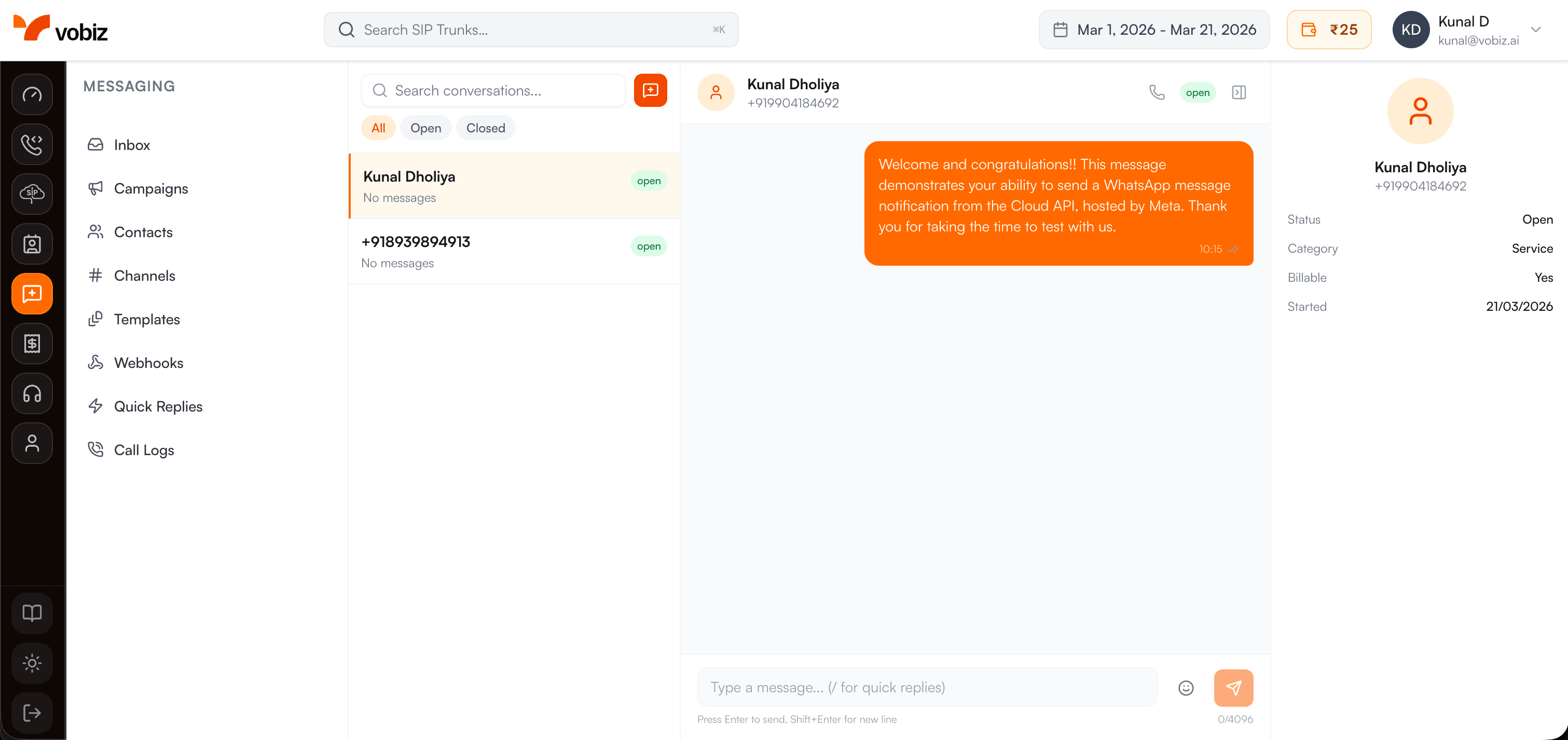 Learn more about the Inbox →
Message Templates
Create and manage Meta-approved message templates for business-initiated conversations. Templates support variables, buttons, and multiple languages.
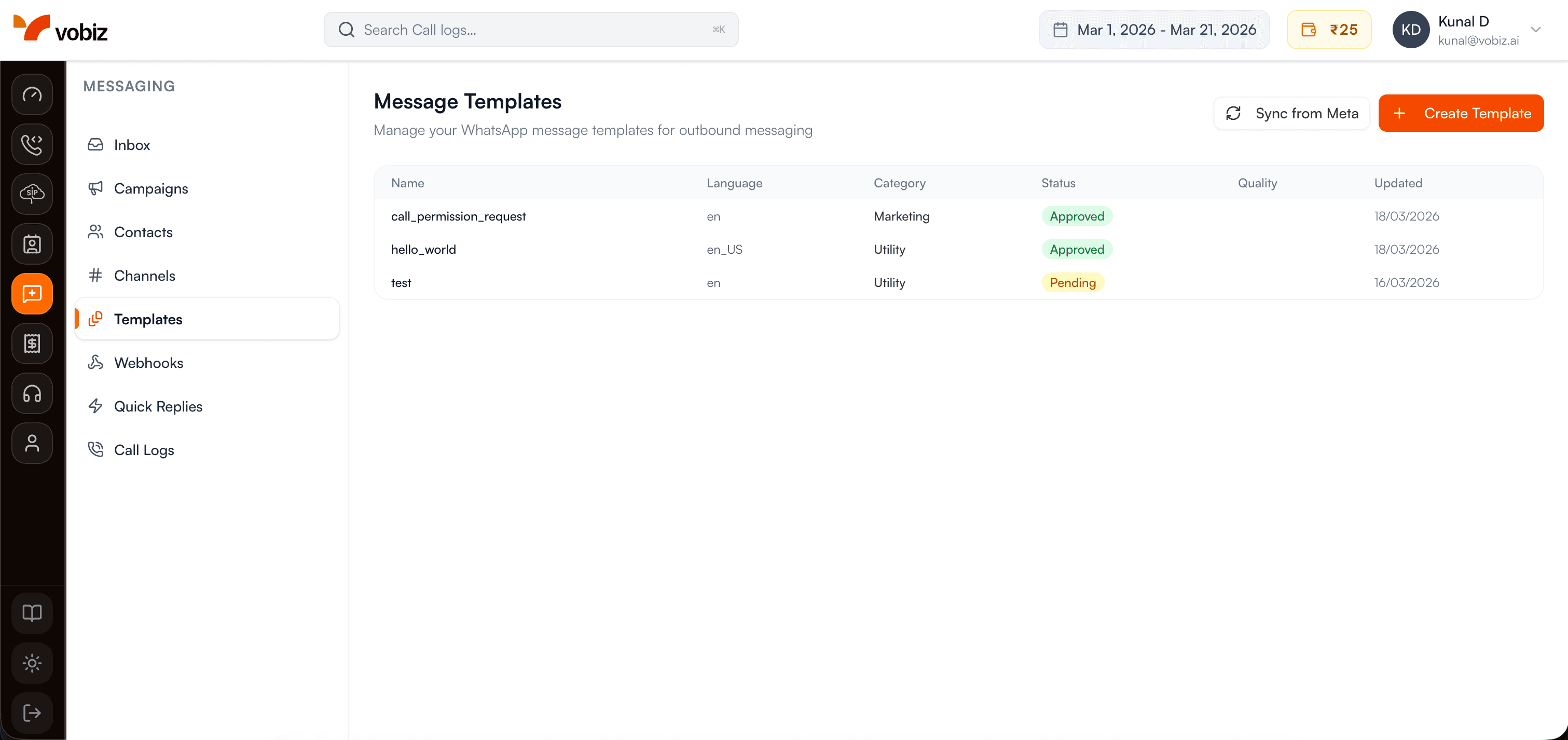 Learn about Templates →
Real-time Delivery Status
Track message delivery with real-time status updates:
Rich Media Support
Supported Formats
- • Images: JPEG, PNG (max 5MB)
- • Videos: MP4, 3GP (max 16MB)
- • Audio: AAC, MP3, OGG (max 16MB)
- • Documents: PDF, DOC, XLS, etc. (max 100MB)
Features
- • Caption support for media
- • Automatic thumbnail generation
- • Media URL hosting
- • Preview in conversations
24-Hour Messaging Window
WhatsApp enforces a 24-hour messaging window to ensure businesses only send relevant messages:
Within 24 Hours
When a customer messages you, you have 24 hours to respond with any type of message:
- • Free-form text messages
- • Media and documents
- • Interactive messages
- • Multiple messages allowed
- • No templates required
After 24 Hours
Once 24 hours pass, you can only send pre-approved templates:
- • Template messages only
- • Must be Meta-approved
- • Conversation charges apply
- • Starts new 24-hour window
- • No free-form messages
How It Works
- 1. Customer sends you a message → 24-hour window opens
- 2. You can respond freely with any message type for 24 hours
- 3. Each message from the customer resets the 24-hour timer
- 4. After 24 hours of silence, only templates can be sent
- 5. Sending a template opens a new 24-hour window
Messaging Best Practices
Respond Quickly
Aim to respond to customer messages within 5 minutes during business hours. Fast responses improve customer satisfaction and maintain high quality ratings.
Personalize Messages
Use customer names and reference previous interactions. Personalized messages have higher engagement rates and reduce block/report incidents.
Keep Messages Concise
While you can send up to 4,096 characters, shorter messages (under 500 characters) are easier to read on mobile devices and get better response rates.
Use Rich Media Wisely
Images and videos increase engagement but consume data. Optimize file sizes and only send media when it adds value to the conversation.
️ Avoid Over-messaging
Don't send multiple messages when one would suffice. Excessive messaging can lead to customer blocking and reduced quality ratings.
️ Respect Opt-outs
Immediately stop messaging customers who opt out or request to stop receiving messages. Maintain an opt-out list and respect customer preferences.
Never Send Spam
Don't send unsolicited promotional messages, chain messages, or content unrelated to your business. This violates WhatsApp policies and can result in number suspension.